Feature
Organise.
A library built for big shoots and fast decisions.
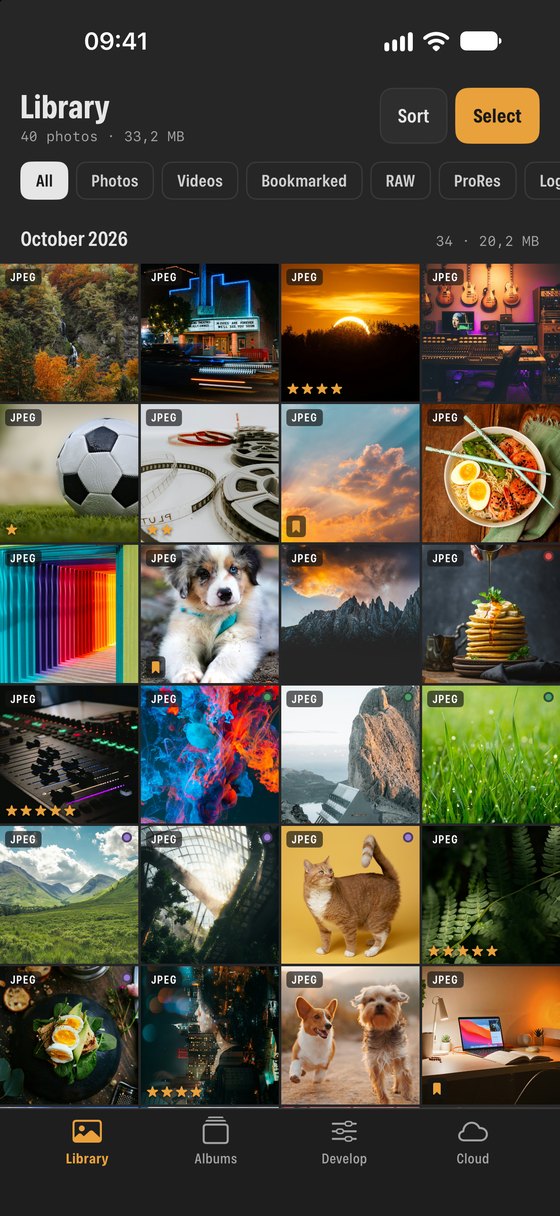
The Photos app is designed for memories. SEshot’s library is designed for work: it tells you what kind of file each item is and lets you narrow a large library down to exactly the files you need.
Filters
- Photos, videos and bookmarks, plus pro filters: RAW, ProRes, Log, HDR and four stars and up.
- Filter by colour label too.
Sorting
- Sort by date taken, date modified, filename, file type, album, rating or label.
- Group by month, and choose small, medium or large thumbnails.
Select and act
- Tap Select, then swipe across thumbnails to pick many at once.
- Share, save to Files, add to albums, rate, label, paste adjustments or delete in one go.
- Long-press anything for a preview and quick actions.
Albums
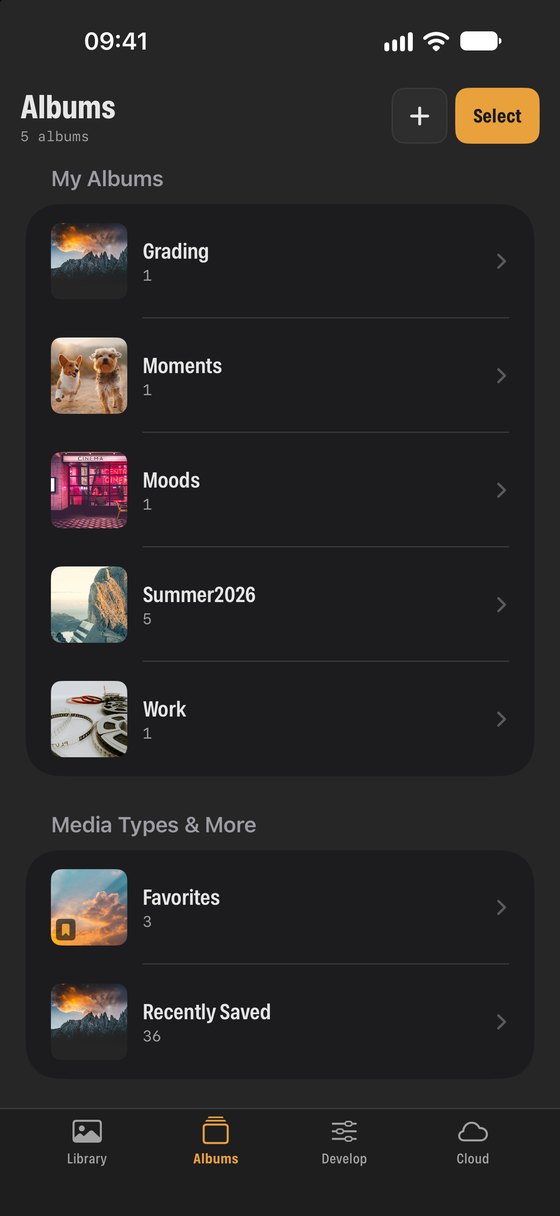
- Create albums, add photos, and delete albums you no longer need.
- Drag and drop photos between apps on iPad.
The pro filters, explained
- RAW
- Unprocessed sensor data from cameras and Apple ProRAW. Larger files with the most room for editing.
- ProRes
- Apple’s professional video codec, recorded by recent iPhones and many cameras. High quality, very large files.
- Log
- Video recorded with a flat Log profile (such as Apple Log) that needs grading.
- HDR
- Photos and videos with high dynamic range, which look brighter on HDR screens.
- 4 ★ and up
- Only items you rated four or five stars.
NextCloud storage →