
Feature
Made for video.
Grade, monitor and export clips with tools that usually live on a laptop.
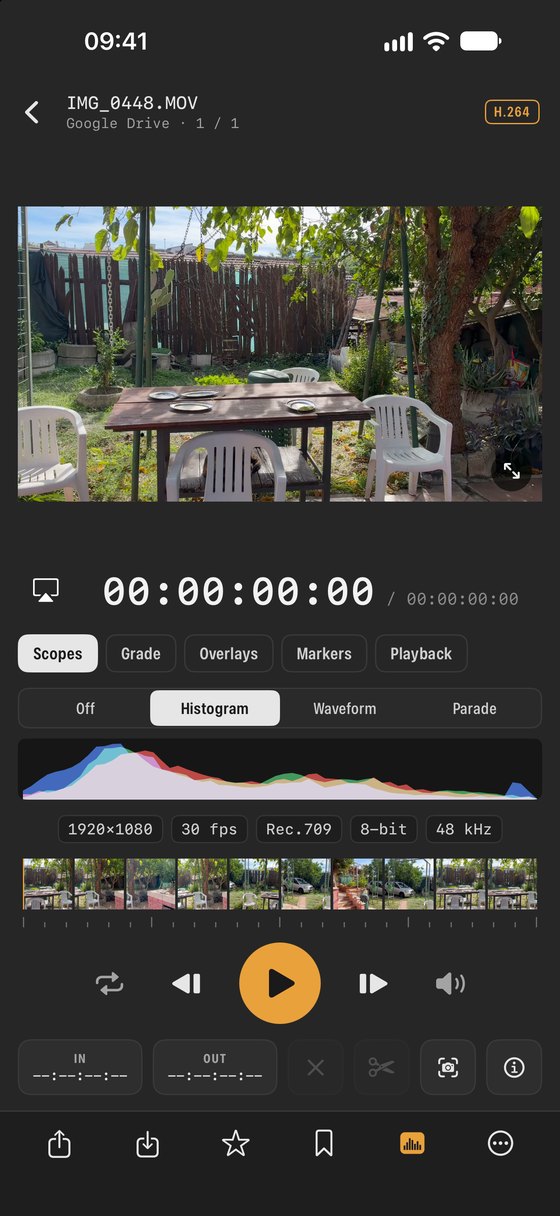
Modern iPhones and cameras record video that is meant to be graded later. SEshot lets you check and grade those clips on the spot: see exposure on scopes, convert Log footage to normal colour, mark the good takes and export them.
Grading
- Convert Apple Log to Rec.709, apply looks and colour wheels, and see the grade live while the clip plays.
- Watch full screen with your grade, overlays and frame guides.
Monitoring
- False colour, zebras and focus peaking overlays.
- Frame guides for common aspect ratios from 9:16 to 2.39:1, plus safe areas.
- Live scopes, codec, frame rate, bit depth, gamma and colour details.
Editing and exporting
- A filmstrip scrubber with frame stepping and playback speed.
- Mark in and out points and save the clip, or export the graded clip as HEVC or ProRes.
- Grab full-resolution still frames, save them to Photos or open them in Develop.
- Add markers and export them as an EDL for your editing software.
What these tools are for
- Log footage
- Flat, grey-looking video that keeps more highlight and shadow detail. It needs a conversion such as Apple Log → Rec.709 to look normal; SEshot applies it live while you watch.
- False colour
- Replaces the image with colours that stand for brightness, so you can see at a glance whether skin or the sky is correctly exposed.
- Zebras
- Stripes over areas that are close to clipping to pure white.
- Focus peaking
- Outlines the sharpest edges in a bright colour, to check focus on a small screen.
- Frame guides
- Show how the shot will look when cropped to common ratios, from vertical 9:16 to widescreen 2.39:1.
- Markers and EDL
- Mark moments while you watch, then export them as an EDL file that editing software such as DaVinci Resolve or Premiere Pro can read.
NextOrganise →